November 13, 2026
Revit IFC Links and Desktop Connector 2027: A Compatibility Checklist

Bahasa Melayu — Baca artikel penuh
Kenal pasti gejala
Selepas kemas kini Desktop Connector 2027, pautan IFC dalam sesetengah versi Revit mungkin gagal dimuat semula atau menunjukkan laluan panjang yang tidak betul. Autodesk mengenal pasti isu khusus versi. Akses atau perubahan fail juga boleh menjadi punca; rekod gejala sebelum mengubah projek bersama.
Inventori versi
Rekod keluaran dan binaan Revit, versi Desktop Connector, Windows dan lokasi IFC bagi setiap komputer. Desktop Connector dipasang pada peringkat komputer dan dikongsi oleh pelbagai versi Revit. Perubahan untuk satu projek boleh menjejaskan projek lain; selaras dengan IT, ketua BIM dan pasukan projek.
Panduan kemas kini Autodesk
Autodesk menyenaraikan pembaikan dalam Revit 2024.3.6, 2025.4.6, 2026.4.2 serta Revit 2027 dan lebih baharu. Artikelnya mengesyorkan Desktop Connector 2027.2.2.3 untuk pasukan dengan keluaran Revit 2024 ke atas yang disenaraikan. Sahkan panduan semasa dan uji gabungan sebenar sebelum pelaksanaan.
Revit 2023
Menurut Autodesk, Revit 2023 tidak mengendalikan laluan IFC dengan betul bersama Desktop Connector 2027.x. Penyelesaian sementara Reload From perlu dilakukan dengan laluan betul setiap kali model dibuka semula. Untuk kerja intensif, Autodesk menyatakan Desktop Connector 17.x sebagai alternatif sementara. Jangan turun versi secara sembarangan; semak kelulusan, sokongan, pemasangan dan kesan kepada projek lain.
Uji dengan selamat
Buat sandaran mengikut polisi dan gunakan model ujian yang dibenarkan. Rekod laluan serta selaras dengan pemilik model. Uji kemas kini atau penyelesaian sementara, tutup dan buka semula model, kemudian semak kedudukan, keterlihatan, koordinat dan kandungan IFC. Pautan yang dimuat tidak semestinya model koordinasi yang tepat atau diluluskan.
Pelaksanaan dan eskalasi
Sediakan matriks versi bagi projek dan komputer, pemilik pengecualian, waktu pemasangan dan pelan undur. Uji aliran kerja bercampur versi dan semak semula penyelesaian sementara. Jika isu berterusan, kumpulkan versi, mesej, tingkah laku laluan dan langkah untuk sokongan Autodesk; semak akses dan ketersediaan fail sebagai punca berasingan. Kongsi fail mengikut prosedur yang diluluskan.
Contoh pejabat bercampur versi
Pada komputer dengan Revit 2023 dan 2026, Desktop Connector dikongsi. Kemas kini untuk projek baharu boleh menjejaskan projek lama. Bina matriks binaan dan keperluan sebenar, kemudian uji kaedah muat semula Revit 2023 dan nilai alternatif sementara bersama IT.
Rekod ujian dan pengecualian
Rekod komputer, binaan, model ujian, lokasi asal, tindakan, kedudukan IFC dan hasil selepas model ditutup serta dibuka semula. Minta pemilik sumber menyemak geometri; rekod penyemak dan isu tertunggak tanpa kata laluan atau token. Jika projek belum boleh berpindah, tetapkan pemilik pengecualian dan tarikh semakan, dokumentasikan kos muat semula berulang, konfigurasi sementara dan pelan kembali. Semak projek lain pada komputer sebelum pemasangan atau undur versi.
Selaras ujian
Sebelum pelaksanaan, setujui masa ujian dan sokongan bersama ketua projek. Rekod komputer, petugas yang dibenarkan dan kriteria kejayaan; uji satu komputer dahulu. Jika hasil berbeza, hentikan peluasan dan kumpulkan bukti. Maklumkan hasil serta had kepada pengguna dan simpan arahan pemasangan serta undur versi untuk pasukan sokongan. Proses terkawal mengurangkan gangguan tetapi tidak menjamin semua projek mempunyai kebergantungan yang sama.
Rujukan dan lesen
Semak katalog FXIT atau minta sebut harga. Sumber: Autodesk IFC Links not loading in Revit with Desktop Connector 2027, disemak 13 November 2026. Sahkan panduan terkini sebelum mengubah komputer produksi.
简体中文 — 阅读全文
识别症状
更新 Desktop Connector 2027 后,部分 Revit 版本可能无法重新加载 IFC 链接,或显示异常长且错误的路径。Autodesk 将其识别为特定版本问题;权限或文件变化也可能导致链接缺失,应先记录症状。
先盘点版本
逐台记录 Revit 版本及构建号、Desktop Connector 版本、Windows 环境和 IFC 位置。Desktop Connector 安装在计算机级别,同一电脑上的多个 Revit 版本共用。为一个项目更改版本可能影响其他项目,须与 IT、BIM 负责人和项目团队协调。
Autodesk 更新指南
Autodesk 列出的修复版本为 Revit 2024.3.6、2025.4.6、2026.4.2 及 Revit 2027 或更新版本。其支持文章建议上述 Revit 2024 及以后版本的团队使用 Desktop Connector 2027.2.2.3。部署前核对最新支持文章并测试项目实际组合。
Revit 2023
Autodesk 指出 Revit 2023 与 Desktop Connector 2027.x 组合不能正确处理 IFC 路径。短期可用 Reload From 选择正确路径,但每次重新打开模型都需重复。工作量较大时,文章列出 Desktop Connector 17.x 作为临时替代。不要随意降级共享电脑;先与 IT 和 Autodesk 确认批准版本、支持和其他项目影响。
安全测试
按项目政策备份并使用授权测试模型,记录现有路径并与模型负责人协调。测试更新或临时方法,关闭后重新打开模型,检查 IFC 的位置、可见性、坐标及必要内容。成功加载不代表协调模型准确或已获批准。
部署与升级
建立项目和工作站版本矩阵、例外负责人、部署窗口和回退流程。先测试有代表性的混合版本工作流,并定期复查临时方案。如果问题持续,向 Autodesk 支持提供版本、错误、路径表现和复现步骤;另行检查权限及文件可用性,按批准流程共享项目资料。
混合版本示例
一台同时运行 Revit 2023 和 2026 的电脑共用 Desktop Connector,因此为新项目更新可能影响旧项目。先建立实际构建号和项目需求矩阵,与 IT 测试 Revit 2023 的重复重载方法并评估临时替代方案。
测试与例外记录
记录工作站、构建号、测试模型、原链接位置、操作、IFC 位置及关闭重开后的结果,请源文件负责人核对几何。记录检查人和未解决问题,不要在支持工单中加入密码或令牌。无法立即迁移的项目应指定例外负责人和复审日期,记录重复重载成本、批准的临时配置及回退方案;安装或回退前检查该电脑上的其他项目。
协调测试
实施前与项目负责人约定测试窗口和支持安排,记录工作站、获授权安装或回退的人员及成功标准,先测试一台代表性电脑。若结果不符,停止推广并收集证据。向受影响人员说明结果及限制,为支持团队保留批准的安装与回退说明。受控流程可减少干扰,但不能保证所有项目的依赖相同。
参考与许可
可查看 FXIT 软件目录或索取报价。来源:Autodesk IFC Links not loading in Revit with Desktop Connector 2027,核查于 2026 年 11 月 13 日;更改生产电脑前应确认最新指导。
Recognise the symptom
After a Desktop Connector 2027 update, some Revit users may find linked IFC files fail to reload or display an unexpectedly long, malformed path. Autodesk identifies a version-specific Revit issue. A missing link can also have other causes, including access or file changes, so record the symptom before changing a shared project.
Inventory versions first
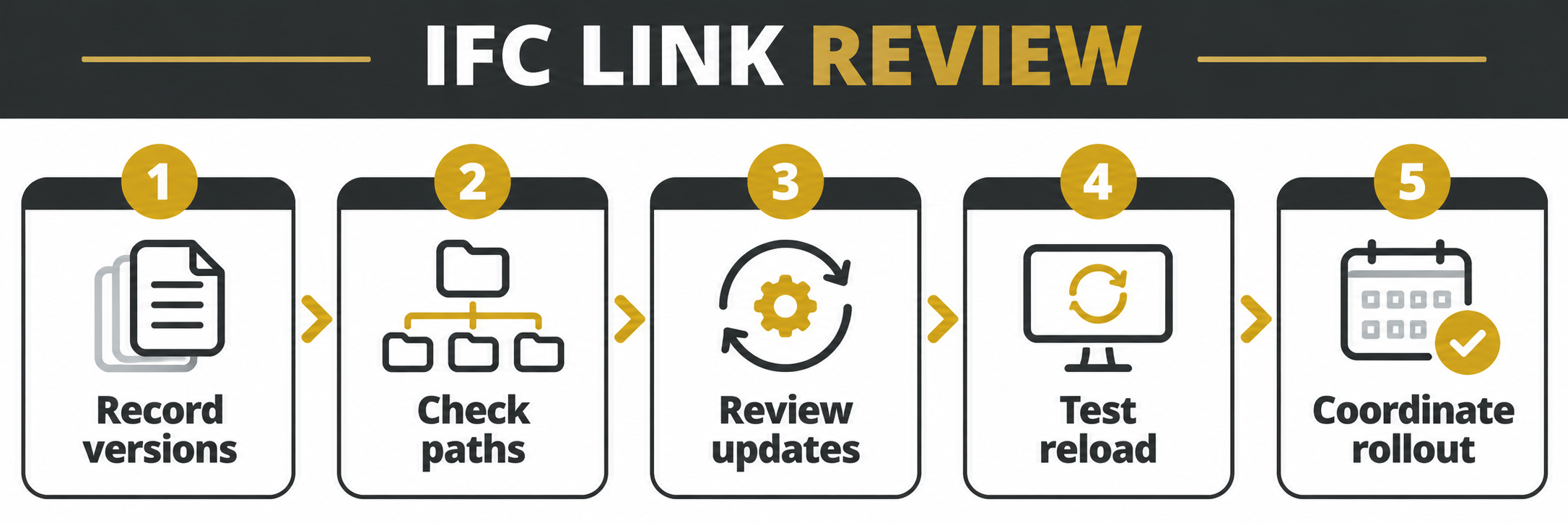
For each affected workstation, record the exact Revit release and build, Desktop Connector version, Windows environment and the IFC link location. Desktop Connector is installed at machine level: multiple Revit releases on the same computer share it. A change made for one project can therefore affect another. Coordinate with IT, BIM leads and all active project teams before changing versions.
Understand Autodesk’s update guidance
Autodesk lists fixes in Revit 2024.3.6, 2025.4.6, 2026.4.2 and Revit 2027 or later. Its support article recommends Desktop Connector 2027.2.2.3 for teams using the listed Revit 2024-or-later releases. Verify the current support article and applicable updates before deployment: vendor recommendations and compatibility can change. Test the exact combination used by the project.
Plan for Revit 2023
Autodesk says Revit 2023 does not correctly handle IFC paths with Desktop Connector 2027.x. Its short-term workaround is to use Reload From with the correct path each time the model is reopened. For intensive work the article identifies Desktop Connector 17.x as a temporary alternative. Do not downgrade a shared workstation casually: confirm approved versions, support status, installation method and effects on other projects with IT and Autodesk.
Test without disrupting production
Back up according to project policy and use an authorised test model. Record existing link paths and coordinate with the model owner. Test the selected update or workaround, close and reopen the model, and check whether the IFC link remains correctly located and visible. Check coordinates and required content with the source owner. A link that loads is not automatically an accurate or approved coordination model.
Roll out and monitor
Create a version matrix by project and workstation, identify an owner for each exception, and agree an approved deployment window and rollback procedure. Inform users that Desktop Connector is shared across Revit versions on a machine. Verify a representative mixed-version workflow before broad rollout. Record results and revisit temporary workarounds; do not promise that a reload persists when Autodesk says it must be repeated for the affected case.
When to escalate
If symptoms continue, collect the exact versions, error, link path behaviour and reproducible steps for Autodesk support. Check permissions and file availability as separate possible causes. Share project material only through an approved process. Review the FXIT software catalogue or request a quotation for a licensing discussion.
Example: a mixed-version office
Consider an illustrative office where a workstation runs both Revit 2023 and Revit 2026. Because Desktop Connector is shared at machine level, updating it for the newer project can change the environment for the older project. Build a matrix of the actual installed builds and project requirements before scheduling a change. Ask the Revit 2023 project owner to test the documented repeated reload and assess whether the temporary alternative is appropriate with IT.
Record a useful test result
A test record should name the workstation, Revit and Desktop Connector builds, test model, original link location and the action performed. Capture whether the IFC loads, its position and whether it remains available after closing and reopening. Ask the source owner to validate the expected geometry. Record a pass or failure against agreed criteria, the reviewer and any outstanding issue. Do not place credentials or private access tokens in a support ticket.
Manage exceptions and handover
Where a project cannot move immediately, agree a named exception owner and review date. Document the operational cost of repeated reloads, the approved temporary setup and how to return to the standard version. Check other active Revit projects on the workstation before deployment or rollback. Communicate the chosen plan to users and support staff, and repeat the compatibility check when Autodesk publishes new guidance.
Coordinate the test
Before implementation, agree the test window with each project lead and confirm support coverage. Record which workstation will be changed, who is authorised to install or revert software, and what constitutes a successful test. Test one representative machine first. If the result differs from the documented expectation, stop the rollout and collect evidence rather than changing every workstation. Communicate the outcome and any limitations to affected staff, and keep the approved installation and rollback instructions available to the support team. This controlled sequence reduces disruption but cannot guarantee that every project has identical dependencies.
Reference
Autodesk: IFC links not loading with Desktop Connector 2027, reviewed 13 November 2026. Confirm current guidance before changing software on production workstations.