November 15, 2026
Inventor iLogic Drawing Automation: A Pilot Checklist for Malaysian Manufacturers

Bahasa Melayu — baca artikel
Merancang Ujian Perintis Automasi Lukisan Inventor iLogic
Automasi lukisan perlu bermula dengan proses yang stabil dan disemak, bukan peraturan yang mengubah semua fail pengeluaran. Autodesk menerangkan bahawa iLogic menyimpan peraturan dalam dokumen part, assembly dan drawing, dan boleh mengawal parameter serta atribut.
Pilih satu keluarga produk dan satu lukisan asas yang diluluskan. Rekod parameter, unit, sifat, hasil yang dijangka dan pemilik keputusan. Gunakan salinan terkawal, kemudian bina peraturan kecil untuk satu tugas yang berulang. Jangan anggap peraturan mengesahkan reka bentuk atau menggantikan jurutera.
Uji nilai biasa, nilai had, input kosong dan perubahan versi. Bandingkan lukisan, dimensi dan sifat dengan semakan manual. Rekod kegagalan, semak hasil dengan jurutera dan kekalkan cara untuk kembali kepada fail asas. Hanya selepas ujian diluluskan, rancangkan penggunaan yang lebih luas dan semakan berkala.
Lihat perisian FXIT atau minta perbincangan tentang keperluan anda.
简体中文 — 阅读文章
规划 Inventor iLogic 图纸自动化试点
图纸自动化应从稳定且经过审查的流程开始,避免让规则直接修改所有生产文件。Autodesk 说明,iLogic 可将规则保存在零件、部件和图纸文档中,并控制参数与属性。
选择一个产品系列和一张已批准的基准图纸。记录参数、单位、属性、预期结果和决策负责人。使用受控副本,先针对一个重复任务建立小规则。规则不会自动证明设计正确,也不能取代工程师审核。
测试正常值、边界值、空输入及版本变化。将图纸、尺寸和属性与人工检查结果比较。记录失败情况,由工程师审查结果,并保留恢复基准文件的方法。试点获批后,再规划扩大使用和定期复核。
Inventor iLogic drawing automation: a controlled pilot for manufacturers
Inventor iLogic drawing automation can help a manufacturing team standardise repetitive design work, but a rule is only as reliable as its inputs and review process. For a Malaysian manufacturer, a small pilot provides evidence before automation is applied to live production drawings.
Start with an approved baseline
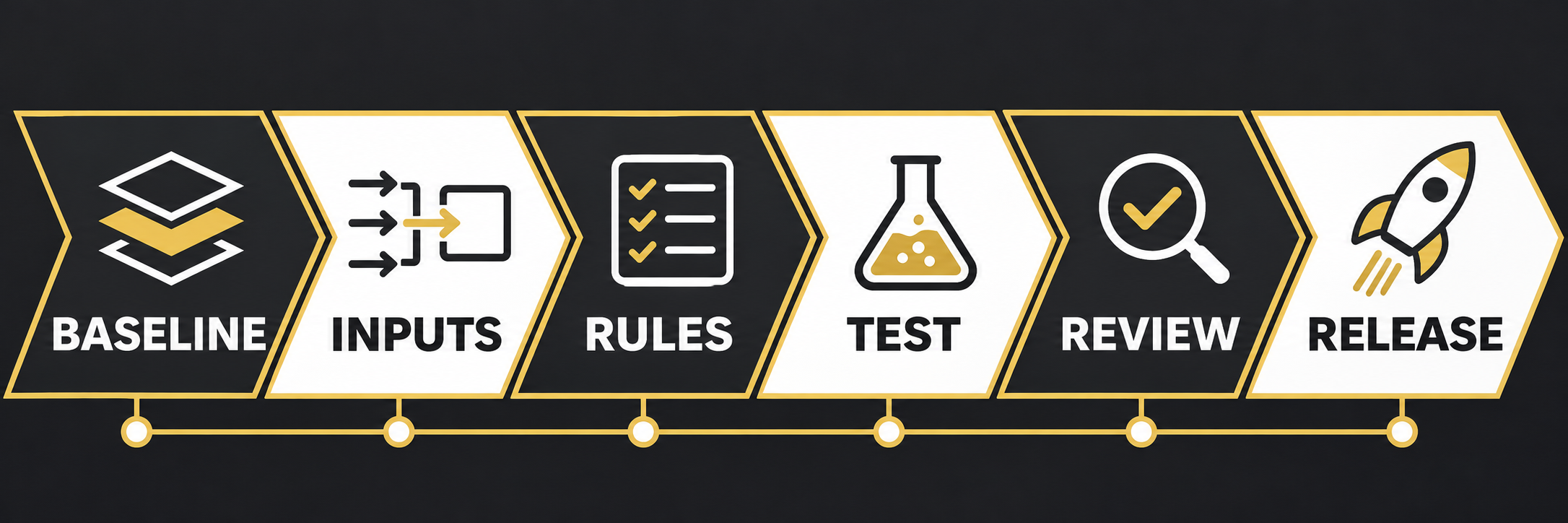
Choose one product family and one approved drawing whose inputs and outputs are understood. Document the current manual steps, typical variants, units, naming conventions and approval owner. Avoid selecting a process that changes every week: a stable baseline makes it easier to distinguish an automation fault from a change in design requirements.
Identify inputs and rules
Autodesk describes iLogic as a rule-driven tool that can embed rules in part, assembly and drawing documents. Rules can work with parameters and attributes, including text, true/false and multi-value inputs. Define which values a user may enter, their permitted ranges and what should happen when a value is missing. A simple input table reviewed by the engineering owner is more useful than an undocumented collection of assumptions.
Choose one repeatable task for the first rule. Keep its purpose clear, and identify which document and properties it can change. Store the test files separately from approved production data and ensure the team knows how to restore the baseline.
Test normal and boundary cases
Run the pilot on a controlled copy. Include a typical configuration, the minimum and maximum permitted values, an invalid value and a missing input. Compare resulting model and drawing information with an independently checked manual result. Review dimensions, units, material descriptions and any affected bill-of-material information according to the company’s normal approval procedure.
Also test what happens when an underlying model or document changes. If a result is unexpected, retain the inputs, rule version and error message. Fix the cause and repeat the relevant cases; a successful single example does not establish that every variant is safe.
Keep engineering review in the loop
A rule can carry out defined logic; it does not independently certify a design. Assign an engineer to review the outputs and approve the pilot. Capture limitations, exceptions and cases that still require manual handling. If the tool changes an existing drawing, preserve a recoverable copy and confirm that downstream reviewers receive the correct revision.
Decide whether to scale
- Does the pilot produce the expected output for every agreed test?
- Are input limits and error messages understandable?
- Can the team identify the rule version used?
- Are responsibilities for changes and review assigned?
- Is there a documented rollback and periodic review?
Use the results to prioritise the next process rather than automating every drawing at once. Review the FXIT software catalogue or request a requirements discussion.
Sources verified 15 November 2026: Autodesk: iLogic functionality; Autodesk: rules and forms.