November 15, 2026
AutoCAD Xref Paths: A Drawing Handover Checklist for Malaysia

Bahasa Melayu — baca artikel
Senarai Semak Laluan AutoCAD Xref
Rujukan luaran yang hilang boleh mengganggu semakan lukisan apabila fail dipindahkan atau dikongsi. Sebelum menghantar projek, kenal pasti lukisan induk, fail rujukan dan struktur folder yang diperlukan. Buka palet External References untuk melihat status dan laluan setiap rujukan.
Laluan relatif bergantung pada lokasi lukisan induk dan struktur folder. Ia boleh membantu apabila satu set folder dipindahkan bersama, tetapi perubahan struktur boleh menyebabkan rujukan gagal. Jika fail berada pada pemacu berbeza, semak pilihan laluan mutlak yang sesuai. Jangan mengubah laluan secara pukal sebelum salinan ujian dan semakan pasukan.
Uji pakej pada lokasi berasingan: buka lukisan induk, semak rujukan yang hilang, muat semula dan bandingkan paparan dengan versi yang diluluskan. Simpan senarai fail dan rekod pembetulan. Gunakan eTransmit apabila sesuai untuk menyediakan pakej rujukan, kemudian sahkan penerima boleh membuka pakej itu.
Semak perisian FXIT dan hubungi FXIT untuk membincangkan keperluan perisian.
简体中文 — 阅读文章
AutoCAD 外部参照路径检查清单
移动或共享项目时,缺失的外部参照会影响图纸审查。发送项目前,应识别主图、参照文件及所需文件夹结构。在 External References 面板检查每个参照的状态和路径。
相对路径依赖主图位置和文件夹结构。整套文件夹一起移动时,它可能更方便;但改变结构可能导致参照丢失。文件位于不同驱动器时,应检查适当的绝对路径。批量修改之前,请先复制测试并与团队确认。
在独立位置测试交付包:打开主图,检查缺失参照,重新加载并与批准版本比较。保存文件清单和修复记录。适当时使用 eTransmit 整理参照文件,并确认接收方能够打开。
AutoCAD xref paths: a practical handover checklist
Missing external references can interrupt a drawing review when a project is moved, archived or shared. An AutoCAD xref path checklist helps a Malaysian design team identify what the host drawing needs before delivery. The objective is a reproducible handover, not simply a drawing that happens to open on one workstation.
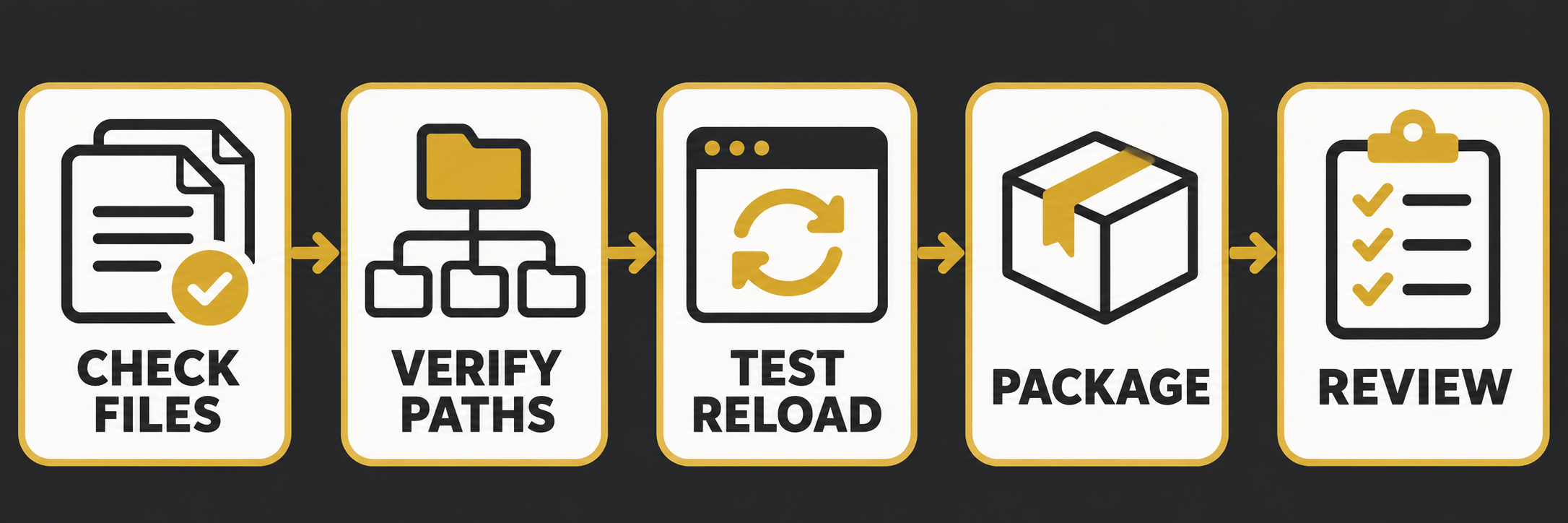
1. Identify the host and its dependencies
Open the host drawing and inspect the External References palette. Record each referenced drawing, its status, saved path and intended owner. Include nested references in the review. Confirm that the team is working with the approved versions and that the host drawing has been saved before assessing relative paths.
2. Choose a path strategy
AutoCAD supports full, relative and no-path references. Relative paths are based on the host drawing’s location and can be useful when the folder structure moves together. They are not a cure for a reorganised project: changing the relationship between folders can still break links. Autodesk notes that drawing references on different drives require an absolute path. Verify the actual storage arrangement and test the chosen method before applying changes.
3. Repair deliberately
Work on a controlled copy. For each missing reference, locate the approved file, update its path and reload it. Check that the replacement is genuinely the intended file, not merely another file with a similar name. Record the old and new locations so another coordinator can review the repair.
4. Package and test
Prepare a handover that includes the host, required references and supporting resources. Autodesk recommends eTransmit as one way to create an archive for diagnosing referenced drawings. Check the package contents rather than assuming every dependency has been included. Extract it to a separate test location and open the host drawing there.
In the test copy, inspect the reference palette, reload the references and compare the view with the approved drawing. Note missing fonts, images or other supporting files separately. Where the recipient uses a different network mapping, ask them to test the package in their environment before the deadline.
5. Keep a small handover record
- Host drawing and approved revision.
- Reference file names and owners.
- Folder structure and path strategy.
- Missing items and agreed follow-up.
- Test location, reviewer and date.
A consistent checklist reduces avoidable last-minute troubleshooting, but it does not replace the project’s drawing-control process. Review FXIT software and request a discussion about your requirements.
Sources verified 15 November 2026: Autodesk: work with xref paths; Autodesk: xref performance.